
Order Status Control
Accept or reject incoming orders and manage status changes as orders move through the restaurant workflow.
Explore 150+ restaurant management software features in Menushell. Manage online orders, customer relationships, payments, delivery and pickup, automation and business analytics from one connected platform designed for direct restaurant ordering.

Manage restaurant orders from one connected dashboard, including online ordering, delivery and pickup workflows, order preparation and customer communication. Menushell helps restaurant teams stay organised, fulfil orders accurately and maintain control over their daily operations.
Accept or reject incoming orders and manage status changes as orders move through the restaurant workflow.
Authorized restaurant users can remove an order when operational circumstances require it.
Control fulfilment modes, preparation times, restaurant availability, opening hours and scheduled ordering from one system.
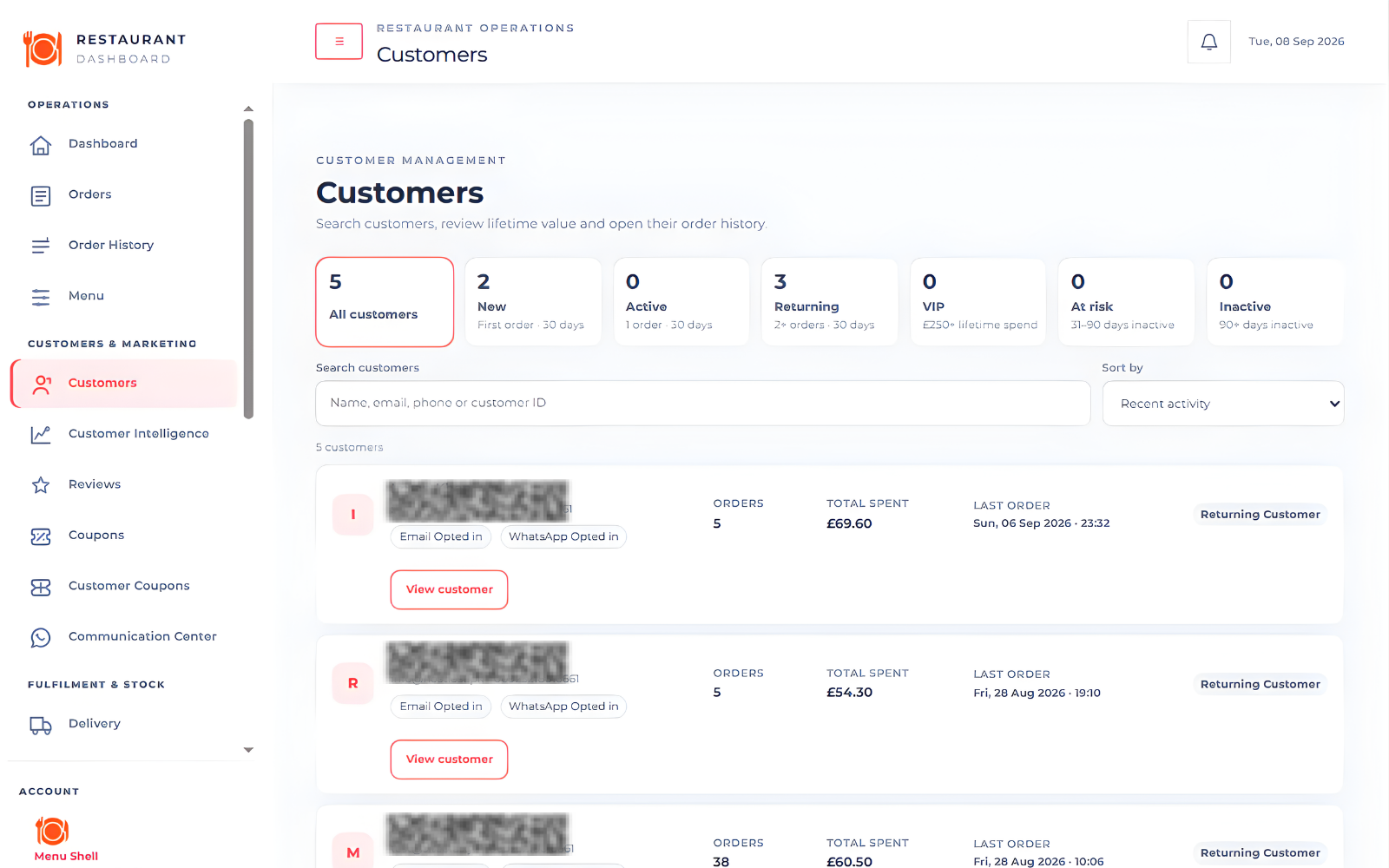
Build stronger customer relationships with Menushell’s restaurant customer management tools. Access customer profiles, order history, purchasing insights and customer engagement features from one connected dashboard. Understand your customers, encourage repeat orders and maintain control over your direct ordering relationships.
Dedicated owner-level controls keep important service and restaurant data actions with the restaurant owner.
Restaurant owners can initiate the platform's restaurant-data deletion process when ending service.
Service and data controls give owners a defined process instead of uncertainty when they decide to leave.
Menushell is built around direct restaurant ordering. Customer and order information is available inside the restaurant's own management workflow instead of being hidden behind a marketplace relationship.
Opening hours, holidays, fulfilment availability and scheduled ordering work together to create a clearer ordering experience.
Handle exceptional closures and holiday availability without confusing customers.
Configure the restaurant's normal weekly service schedule.
When enabled, customers can place a future order even while the restaurant is closed.
Set different “available from” times for pickup and delivery.
Give customers more precise scheduled-order time choices.
Enable or disable delivery and pickup independently to match current operations.
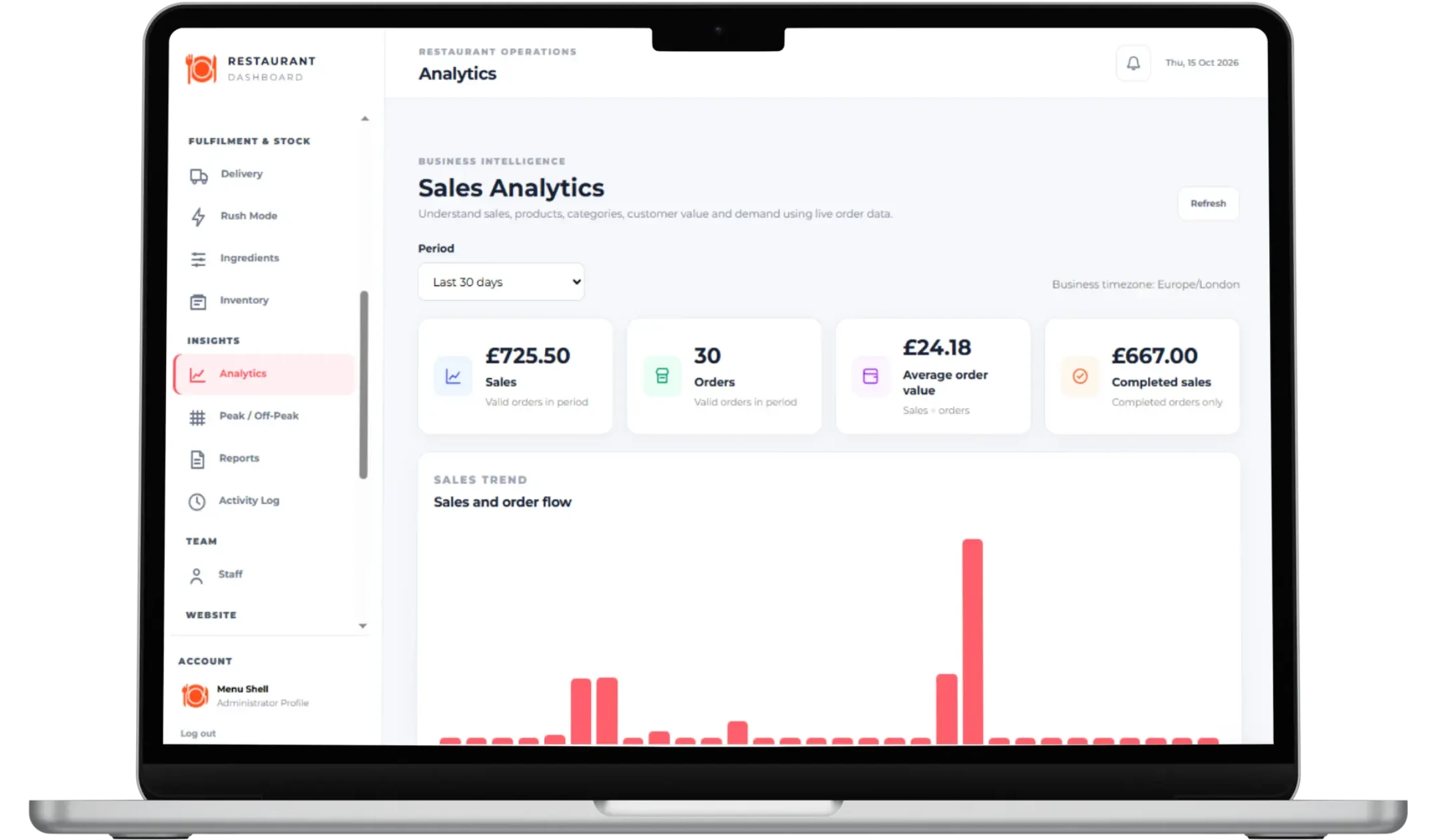
Understand your restaurant's performance with Menushell's analytics and reporting tools. Track sales trends, order activity, customer behaviour and operational performance through connected dashboards. Turn real-time restaurant data into actionable insights that help you improve efficiency, identify opportunities and make informed business decisions.

Menushell connects live orders with printing, notifications and operational tools that help teams respond quickly.
Accepted orders can flow directly into the restaurant printing workflow.
Dedicated printing workflows support both Windows and Android restaurant setups.
Customers can receive browser notifications as their order status changes.
Customers can see when the restaurant accepts or rejects an order.
Operational tools help teams identify orders that need attention.
Restaurant communication workflows can use configured WhatsApp and email channels.
Discover the restaurant management software features available in Menushell, from online ordering and menu management to delivery operations, customer intelligence, marketing automation and business reporting. Browse the feature categories below to see how Menushell supports your restaurant's daily operations and long-term growth.
Accept, reject and progress orders through the restaurant workflow.
Authorized users can remove orders when required.
Customers see the restaurant response after placing an order.
Customers can continue from confirmation into order tracking.
Dashboard notifications help surface new order activity.
Operational monitoring helps identify orders needing attention.
Quickly review completed orders for the current day.
Keep operational order views current during service.
Accepted orders can trigger the restaurant printing workflow.
Review important restaurant management activity.
Offer cash payment for eligible delivery orders.
Support cash payment for collection workflows.
Enable configured online card payments.
Offer Apple Pay where supported by the payment setup.
Offer Google Pay where supported by the payment setup.
Use the restaurant-selected operating currency throughout ordering.
Show configured tax terminology through the customer journey.
Allow configured customer tipping at checkout.
Apply and display configured service charges.
Apply restaurant coupon discounts during checkout.
Encourage larger baskets with a configured free-delivery target.
Configure Stripe webhook signing details from payment settings.
Present restaurant products in a modern ordering interface.
Show product choices and configuration before adding to basket.
Require customers to make mandatory product selections.
Support optional product customisation.
Allow multiple selections where a modifier group permits them.
Organize product choices into named modifier groups.
Present additional purchase opportunities within the ordering journey.
Customers can move quickly between menu categories.
Menu cards adapt across desktop and mobile screens.
Surface recommended items within the menu experience.
Enable or disable restaurant delivery.
Enable or disable restaurant pickup.
Customers choose from the fulfilment methods currently available.
Show configured preparation time with fulfilment choices.
Set a specific daily starting time for pickup.
Set a specific daily starting time for delivery.
Offer more precise scheduled order times.
Configure normal restaurant opening schedules.
Handle holiday and exceptional availability.
Communicate holiday or exceptional closure information.
Allow future ordering while closed when the feature is enabled.
Adjust the ordering experience during busy service periods.
Configure restaurant delivery charges.
Verify whether a customer address is inside the restaurant delivery area.
Use the restaurant-selected distance unit for delivery settings.
Configure the restaurant location used by delivery-area logic.
View customers who order directly from the restaurant.
Access customer information from the management experience.
Review previous customer ordering activity.
Review customer communication history.
Identify customers ordering for the first time.
Recognize repeat customers.
Surface high-value customer segments.
Assign promotional coupons to individual customers.
Notify customers about assigned coupons by email.
Notify customers about assigned coupons through configured WhatsApp.
Manage restaurant communication-channel settings.
Enable or disable configured WhatsApp communication.
Manage restaurant customer review information.
Review restaurant sales performance across selectable periods.
Switch between common analytics periods.
Analyze customer activity and customer-value indicators.
Identify and review high-value customer segments.
Understand stronger and quieter trading periods.
Review high-level restaurant sales performance.
Track restaurant performance from the management dashboard.
Access restaurant reporting tools from the management experience.
Review recorded administrative and operational activity.
Refresh supported intelligence views without leaving the workflow.
Print accepted orders as part of the live restaurant workflow.
Support automatic printing in compatible Windows restaurant setups.
Support Android restaurant printing through the configured workflow.
Send customer browser notifications for order-status updates.
Support order notifications in compatible desktop browsers.
Support order notifications in compatible Android browsers.
Keep customers informed while waiting for restaurant acceptance.
Use email within supported restaurant order communication workflows.
Use configured WhatsApp messaging within supported workflows.
Refresh dashboard notifications during restaurant operations.
Give owners dedicated controls over their restaurant service.
Allow owners to initiate restaurant-data deletion when ending service.
Provide an explicit owner-facing service and data-control process.
Separate owner-level and manager-level capabilities.
Support the restaurant manager access model used by the platform.
Manage administrator profile details and avatar.
Provide a dedicated management login experience.
Keep restaurant management users inside the intended management experience.
Control whether the restaurant is currently open for ordering.
Configure the restaurant timezone used by operational scheduling.
Manage Google integration settings used by location functionality.
Manage restaurant payment-method availability.
Manage fulfilment, charges, scheduling and checkout behavior.
Use dedicated settings for integration credentials.
Take direct orders, keep 100% of your direct-order revenue and run your restaurant with one connected platform.