
Sign in securely to your Menushell Owner Dashboard so you can manage your restaurant, orders and settings.
Before you begin
Make sure you have the Owner login details provided for your restaurant. For security, never share your password with staff members or anyone who does not need Owner access.
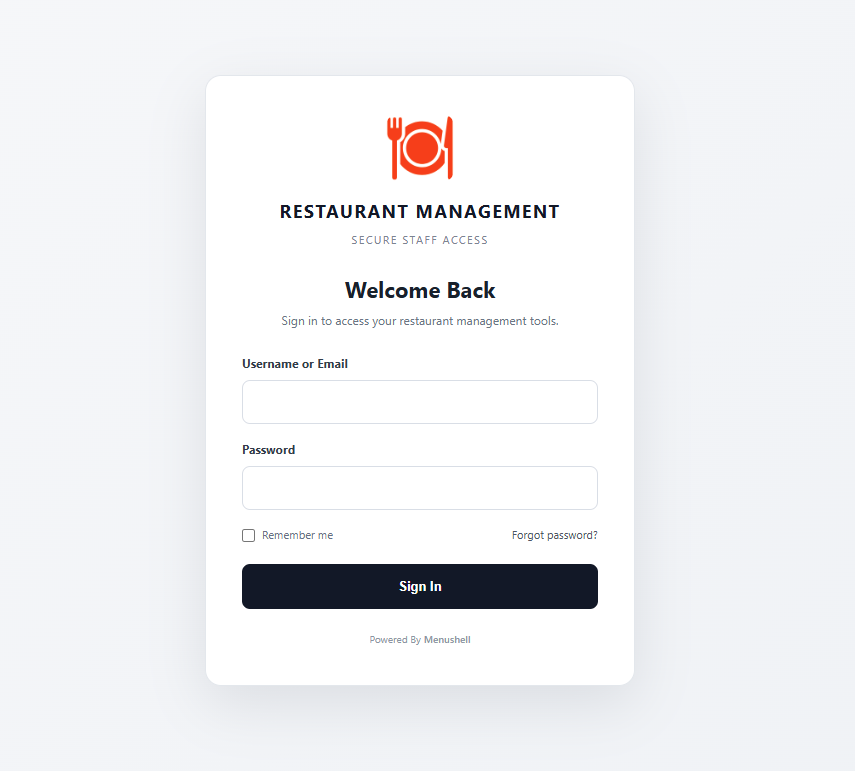
The screen is labelled Restaurant Management. This is the secure Menushell management sign-in screen used to access your restaurant management area.
Step 1 — Open your Menushell login page
Open the secure management login page for your restaurant in your web browser.
Step 2 — Enter your Owner username or email
Enter the username or email address connected to your Owner account in the Username or Email field. Check for typing mistakes before continuing.
Step 3 — Enter your password
Enter your Owner password in the Password field. Passwords are case-sensitive, so uppercase and lowercase letters must be entered correctly.
Do not send your Owner password through chat, email or a support ticket. Menushell Support does not need your password to help you.
Step 4 — Sign in
Select the Sign In button. If your details are correct, Menushell will open your Owner Dashboard.
How to check it worked
You have signed in successfully when the Owner Dashboard opens and you can see your restaurant’s dashboard navigation and information.
You are now signed in and can begin managing your restaurant.
If you cannot sign in
Check your login details
Make sure the username or email is correct and re-enter your password carefully.
Forgot your password?
Select Forgot password? on the sign-in screen and follow the recovery instructions.
Still cannot access your account?
Contact Menushell Support and tell us the restaurant name and the login problem you are seeing. Never include your password.